Rain Driver
Back up your Windows drivers before you reinstall.
Create a verified Driver Passport of your current network, storage, graphics and other drivers — then restore them after reinstalling Windows. Rain Driver also finds updates from official sources and explains what Windows reports. It changes nothing without your approval.
Windows 7 SP1 to 11 · 32-bit and 64-bit · No account · Backup is free, one-click restore is Pro
Ask Rain AI. Understand Your Drivers.
Describe the problem in plain words and Rain AI turns confusing driver errors into clear, step-by-step guidance in your language. It suggests what to do next — you stay in control.

Ask it things like
Plain words in, clear answers out
Ask about any device or driver problem without needing technical jargon.
Guidance, never silent changes
Rain AI cannot install, remove or change drivers; nothing happens until you click.
Privacy by design
Only a short anonymised summary of hardware and driver facts is sent — never files, logs, names, serial numbers or e-mail.
Built for six languages
Get explanations and step-by-step guidance in any of Rain Driver's 6 supported languages.
Included FREE with Lifetime, or add Rain AI for €4.99/month — cancel any time.
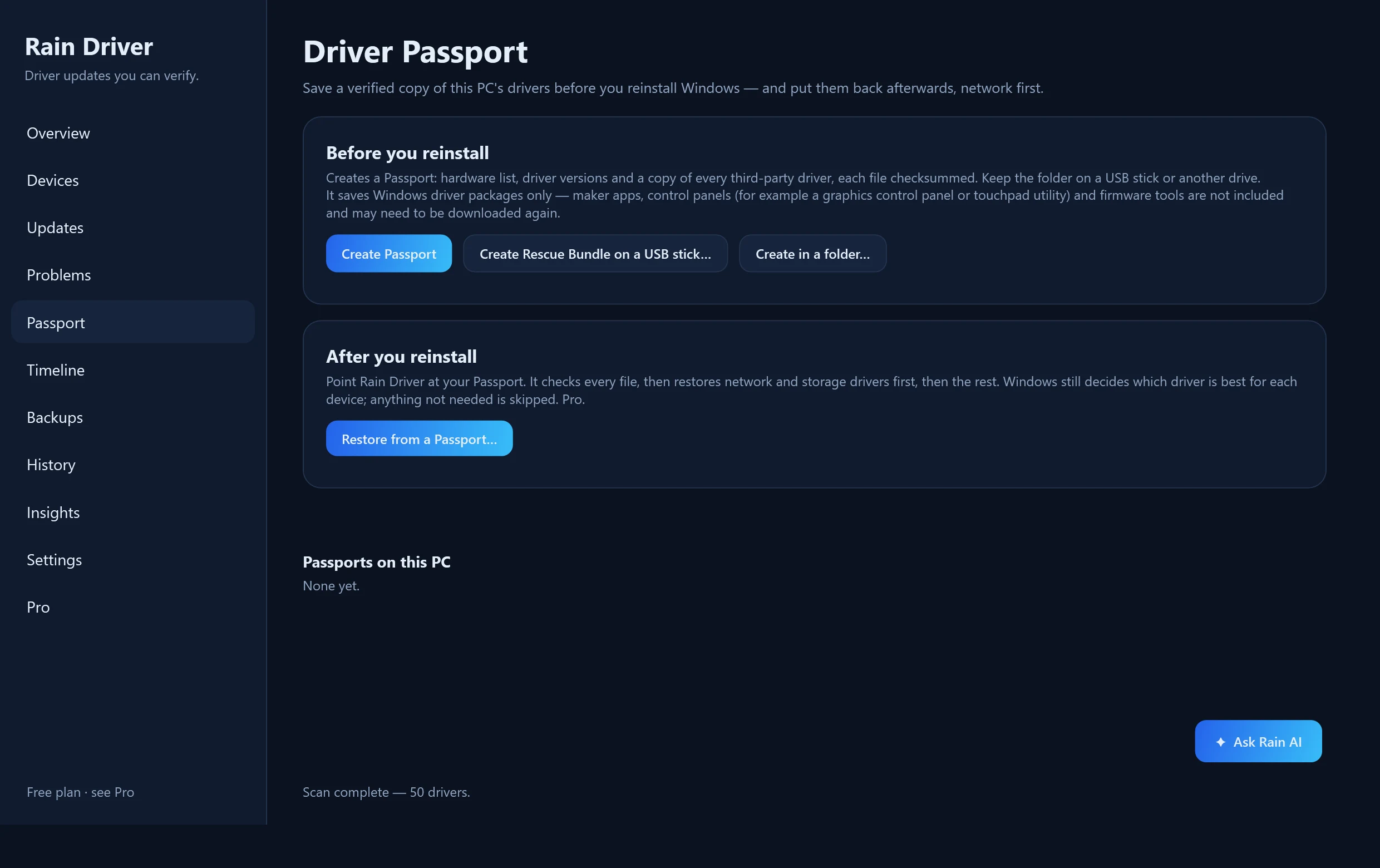
Back up your drivers before you reinstall — in three steps
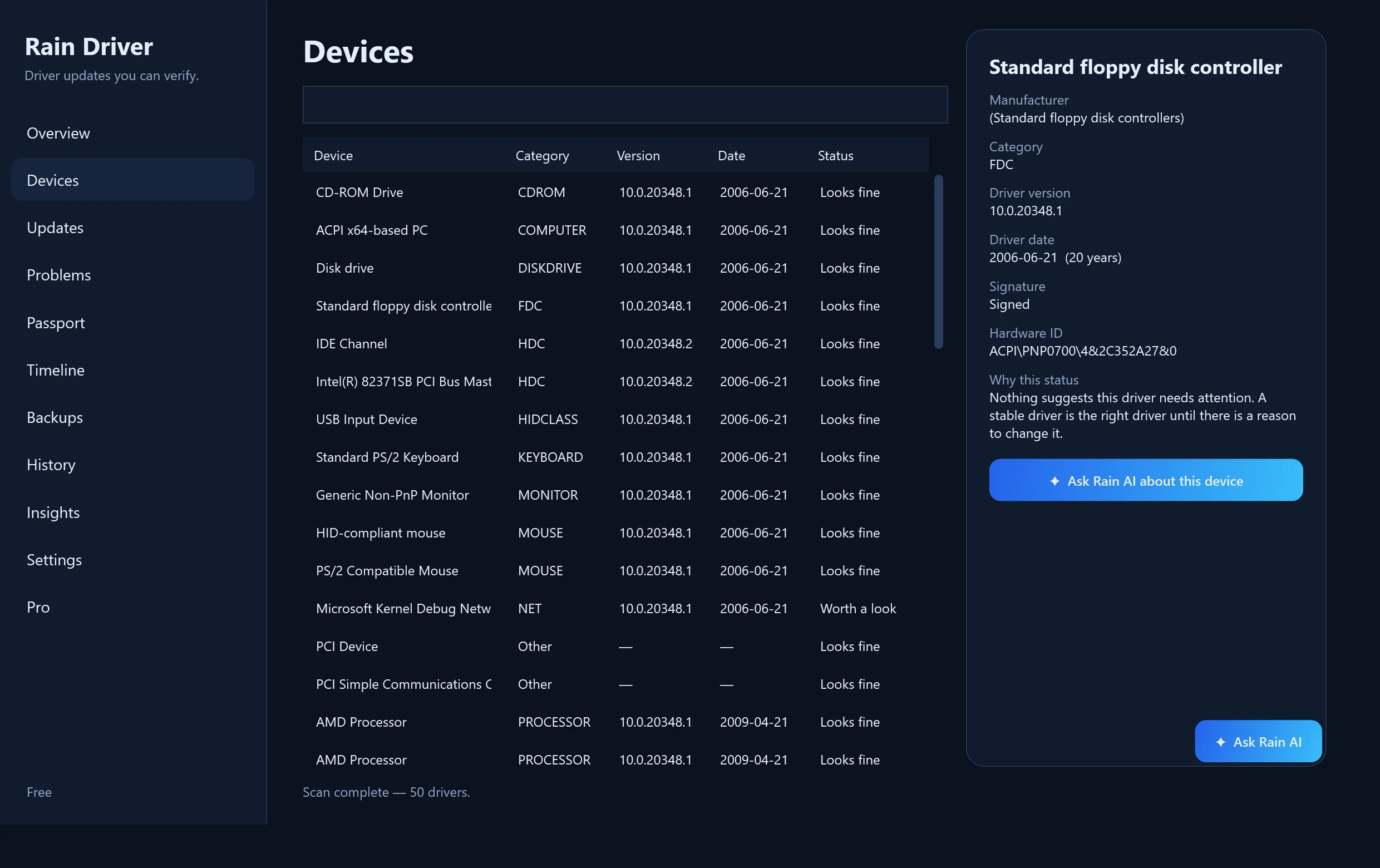
Scan this PC
Rain Driver reads which drivers Windows uses — network, storage, graphics, audio and more.
Export and verify
It saves the third-party driver packages Windows can export and writes a SHA-256 checksum for every file. Put it on a USB stick.
Restore after the reinstall
Network and storage drivers come back first. The Rescue Bundle's own script does this for free; Rain Driver Pro does it in one click.
Creating a Passport and a Rescue Bundle is free. A Passport saves Windows driver packages only — maker apps, control panels and firmware tools are not included.
Download
Về bản beta này: Rain Driver chưa được ký số trong khi quá trình xác minh ký mã của công ty chúng tôi đang được hoàn tất, nên Windows có thể hiển thị thông báo “Unknown publisher” hoặc thông báo của SmartScreen. Mã băm SHA-256 được công bố cho mọi bản phát hành. Why is it unsigned?
Hầu hết PC: Windows 10 / 11 · 64-bit
Xác minh SHA-256
SHA-256: 9f400c19b35e59f19f4e33b767d5812faf030ae4c5cfd5d64336680f41f0524e
Quét Microsoft Defender 2026-10-01: không phát hiện mối đe dọa
Before you press Download
- Publisher: Rain Cleaner (developer T. Vasilev) — the same maker as Rain Cleaner.
- It is a single portable program (.exe), not an installer. Administrator rights are needed only when you install drivers or restore a Passport.
- Rain Driver never installs a driver by itself: you confirm every change, after a restore point and a copy of your current drivers.
- What leaves your PC: version check, licence activation and, only if you ask, a short Rain AI summary. Details on the Trust page and in Settings → Privacy.
- To uninstall: delete the .exe and the folder C:\ProgramData\RainDriver (history and backups).
- Creating a Passport and a Rescue Bundle is free; restoring with the Rescue Bundle's script is free; one-click restore inside Rain Driver is part of Pro.
- The same files are also published on GitHub Releases (github.com/raincleaner/RainDriver) with identical SHA-256 values.
- Install with Scoop: scoop bucket add raincleaner https://github.com/raincleaner/scoop-bucket, then scoop install raindriver. Hashes are verified during installation.
Older Windows and 32-bit downloads
Windows 10 · 32-bit
For 32-bit Windows 10.
Version 0.1.2 · 65 MB
SHA-256: 042b9e0ddf26099b1d175b50e83f8fc3e5b219590785a7dd45b507ac86627a8e
Windows 7 SP1 / 8.1 / 10 / 11 · 64-bit
The legacy edition: also runs on older systems.
Version 0.1.2 · 62 MB
SHA-256: 9ab37bff54ca7ea7305a3703690a5f3df8a2e864a15e3cc8a855f53c5118dc5a
Windows 7 SP1 / 8.1 · 32-bit
For 32-bit Windows 7 and 8.1 — most hardware from the 2000s.
Version 0.1.2 · 58 MB
SHA-256: d7925ecae8388ad1adfaee79f198a7223972a4b0054885131805bd41629ad795
Windows 7 / 8.1 editions: Windows 7 needs Service Pack 1 plus Microsoft's later servicing updates (for example KB4474419, KB4490628 and the Universal C Runtime update KB2999226). Windows XP and Vista are not supported. The Windows 7 / 8.1 edition is new and has been tested on current Windows only, not yet on every older system — please tell us about any problem (support@raincleaner.eu).
What it covers
Graphics · Network and Wi-Fi · Bluetooth · Chipset · Storage · Audio · USB · Printers and more
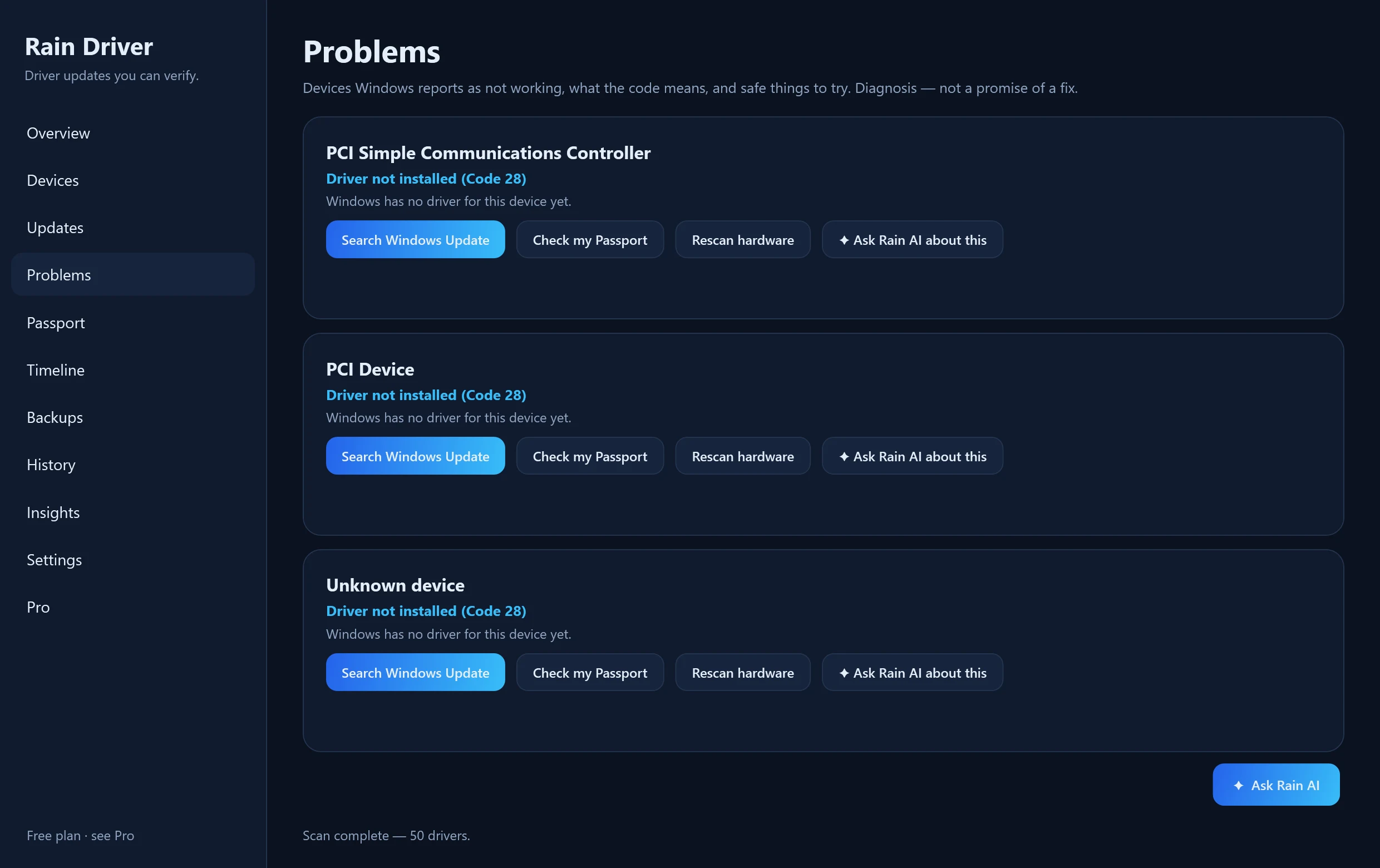
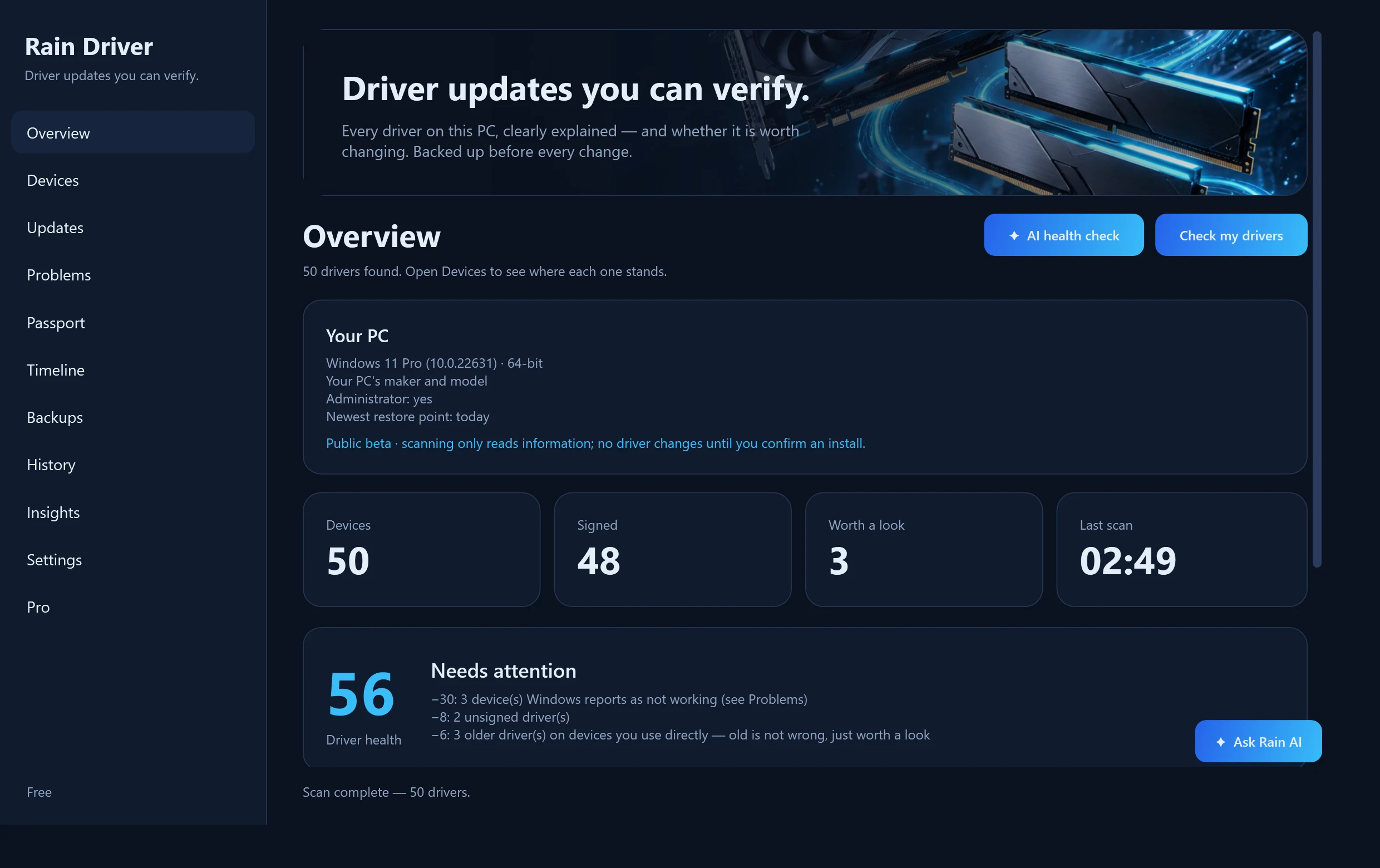
See it working
These are real screenshots of the program (English interface).
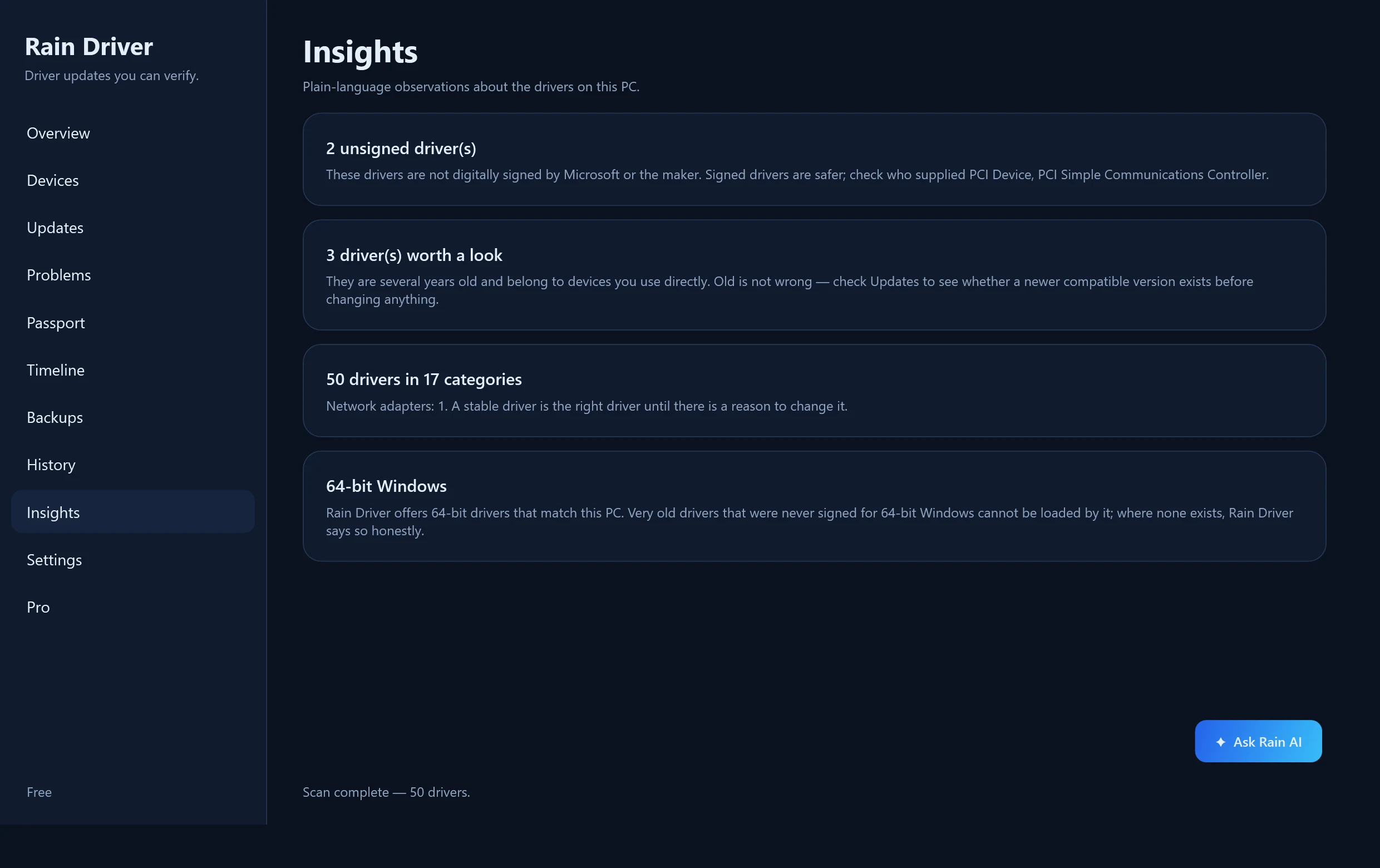
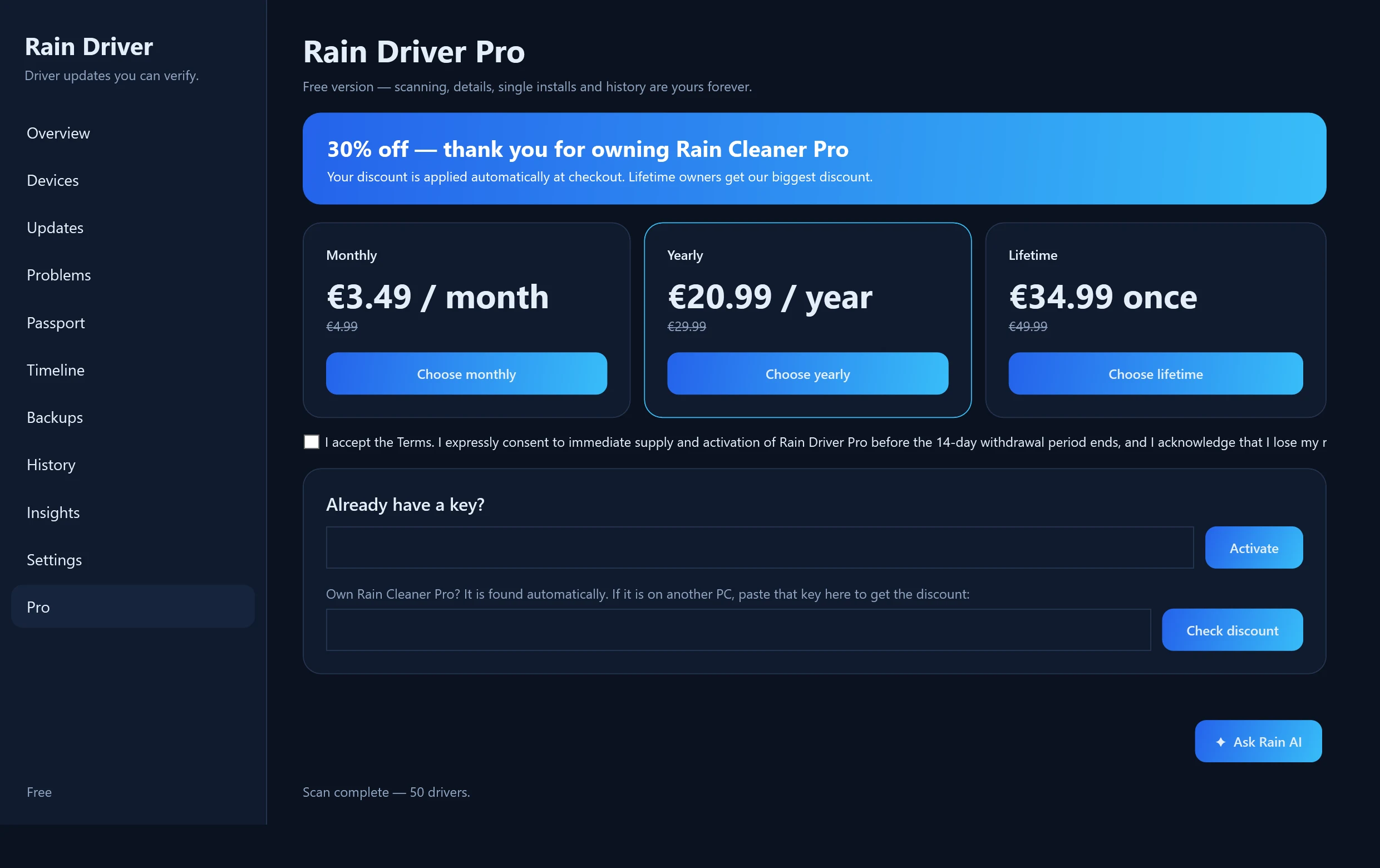
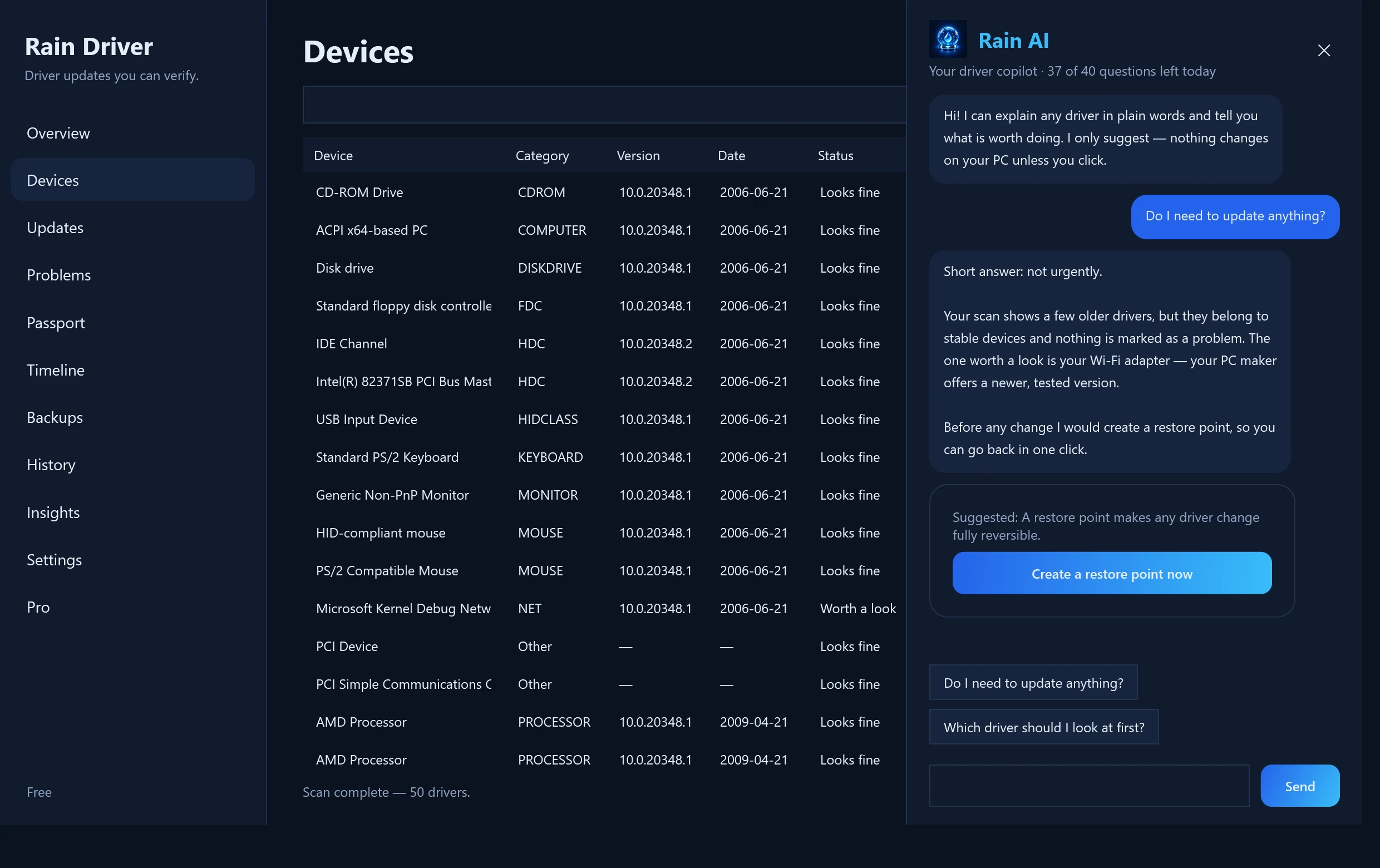
Free is genuinely useful. Pro saves you time.
Free
- Scan every driver on this PC
- Driver Health score and a saved report
- Problem Doctor: Device Manager codes explained
- Timeline of what changed and when
- Driver Passport and Rescue Bundle (backup)
- Official manufacturer packs and download pages, one at a time
- Restore point and driver copy before every change
- A notice when a new version of Rain Driver is out
Pro
- One-click restore from a Driver Passport
- Install all available updates at once
- Rain AI included with Lifetime (optional add-on with Monthly or Yearly)
- Everything in Free
Prices include applicable taxes as shown at checkout. Subscriptions can be cancelled before the next renewal. Lifetime is a one-time licence for Rain Driver, not a guarantee of perpetual support for every future version of Windows. Rain AI is included with Lifetime; with Monthly or Yearly it is a separate add-on (€4.99 per month).
Own Rain Cleaner Pro? Save 20–30%.
Rain Cleaner Pro owners get a discount on Rain Driver Pro, applied automatically: 30% with Lifetime, 25% with Yearly, 20% with Monthly. No code to copy.
Official sources we rely on
Microsoft
- Windows Update Agent API
- Microsoft Update Catalog
- Driver Store
- Driver selection and ranking
- Driver signing options
- PnPUtil
Computer makers
- Dell Driver Pack Catalog
- HP Image Assistant
- HP Client Management Script Library
- Lenovo update catalogs
- ASUS support
- MSI download center
- GIGABYTE download center
- ASRock drivers
- Microsoft Surface drivers
Component makers
- NVIDIA driver search
- AMD support
- Intel download center
- Realtek downloads
- Broadcom support
- Creative support
- Matrox legacy graphics drivers
- VIA drivers
Open identifier databases
Questions
Is it the same as Rain Cleaner?
No. Rain Cleaner looks after the whole PC. Rain Driver is a separate program focused only on drivers.
Does it work on 32-bit Windows?
Yes. There is a 32-bit edition of Rain Driver, and on a 32-bit Windows it finds, downloads and installs the 32-bit drivers that match your PC — which is what most hardware from the 2000s needs. A 32-bit driver cannot be used on 64-bit Windows, so Rain Driver always picks the one that matches your system.
Will it install drivers automatically?
Only when you ask. Every change is preceded by a restore point and a copy of your current driver.
Is this a finished release?
It is a public beta: the program is used and tested, but the first builds are not code-signed yet, so Windows may show an unknown-publisher warning.
Can Rain Driver guarantee it fixes Code 10, 28 or 43?
No. These codes can come from drivers, firmware, configuration or failing hardware. Rain Driver explains the problem and offers safe diagnostic and recovery actions.